

Virtual machine hosting
built for control

Deploy a virtual machine with full root access, dedicated CPU and RAM, and NVMe SSD storage. Configure your own OS, install what you need, and scale resources as your workload grows.

Every plan includes 24/7 support and a control panel built to get your server running in minutes. No long-term contract, no hidden setup fees. Pay for what you use and scale up or down whenever your project demands it.

Backed by a 99.95% uptime guarantee and redundant infrastructure, your VM stays available when it matters most. Choose from 20+ data center locations worldwide to keep latency low for the users who matter to your business.

Start your free trial now!

Ultimate Virtual Machine Hosting VM Solution

Create your VM server

Our VPS hosting options with 5TB traffic or 50Mbit/sec unmetered on all plans, tailored for various needs.

CHOOSE SERVER SPECS

Estimated price

Monthly Plan:  $4 /mo

Hourly Plan:  $0.005 /hr

Prices include: Traffic 1-5TB/month * Single Public IP
Not include Managed services, add-ons and licenses
Additional traffic is only $0.01 per GB
Hourly servers are billed per minute

For more configurations and customizations please contact our experts here
Server locations

What is a virtual machine?

A virtual machine (VM) is an isolated computing environment that runs on top of a physical server, with its own operating system, storage, and resources. A VM host lets you rent that environment instead of building and maintaining your own hardware.

Every VM comes with full root access, so you configure the server exactly the way you need it: choose your OS, install your stack, and set your own security rules.

Why choose VPSServer.com for virtual machine hosting?

Global data centers

Server locationsDeploy in 20+ locations across North America, Europe, Asia, Australia, and the Middle East, including New York, Los Angeles, Frankfurt, Singapore, Tokyo, and Sydney. Choosing a location close to your users cuts latency and keeps your application responsive.

Performance and scalability

Every VM runs on NVMe SSD storage with modern CPU hardware, built for low latency and consistent throughput under real workloads.

Resources scale on demand. Add CPU, RAM, or storage as your project grows, without migrating to a new server or rebuilding your environment.

Security and uptime

Every VM is protected by firewalls, DDoS protection, and encryption for data in transit and at rest. Data centers run 24/7 monitoring with physical security controls, and systems are scanned regularly for vulnerabilities.

We guarantee 99.95% uptime, backed by redundant infrastructure and automatic failover.

Monitoring, analytics, and API access

Track CPU, RAM, storage, and network usage in real time from the control panel, so you can catch resource bottlenecks before they affect performance.

For teams that want to automate deployment, the API lets you create, modify, and manage VMs programmatically, so provisioning and scaling can be built into your own workflows instead of handled by hand.

Pricing

VM hosting starts at $4/mo. Configure your CPU, RAM, and storage, and get an instant price estimate before you deploy. Pay monthly or hourly, with no long-term contract required.

Backups and disaster recovery

Regular backups run on your VM and its data, with disaster recovery options available if something goes wrong. Extended daily backup can be added for extra protection, storing copies in external backup storage separate from your live server.
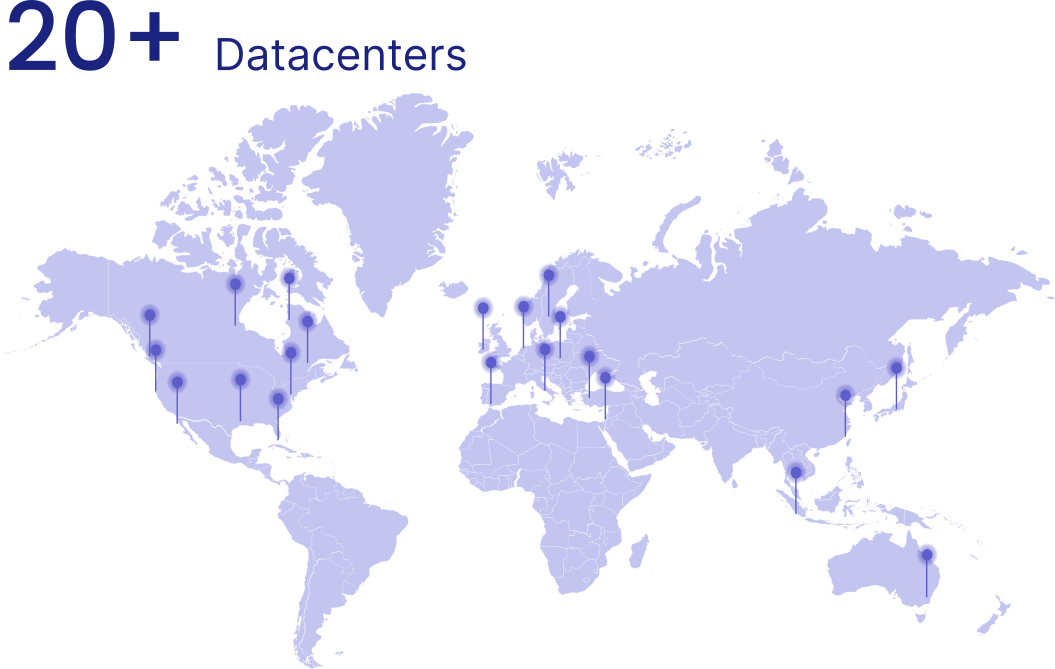

20+ locations worldwide for your application

Is VM hosting right for you?

Server locationsIf your workload needs dedicated resources and full control without the cost of physical hardware, VM cloud hosting is likely a fit.


Developers and DevOps teams use VMs to spin up isolated environments for testing, staging, or running CI/CD pipelines, with root access to configure the stack exactly as needed.

Businesses running production applications rely on VMs for the dedicated CPU and RAM that shared hosting can't guarantee, keeping performance consistent as traffic grows.

Game server operators use VMs for the low latency and resource control needed to keep gameplay smooth, especially when paired with a data center close to their player base.

Agencies and resellers deploy VMs across multiple client projects, using root access and OS flexibility to manage different environments from a single provider.

Frequently Asked Questions

What is a virtual machine host?

A VM host runs an isolated virtual server on top of physical hardware. It comes with its own operating system, storage, and dedicated resources, so it behaves like a standalone server even though it's sharing physical infrastructure with other VMs. This means you get the flexibility and control of your own environment without the cost or maintenance of owning physical hardware.

Will I have full root access to my virtual machine?

Yes. Every VM includes full root access, regardless of location or plan. That means you can install your own stack, configure your own security rules, and manage the server exactly as you would a machine you own outright, with no restrictions based on which data center or tier you select.

If my project grows, can I scale my VM's resources later without starting over?

Yes. You can add CPU, RAM, or storage as your workload grows, without migrating to a new server or rebuilding your environment from scratch. This makes it easy to start small and scale up only when you actually need more capacity, instead of overprovisioning from day one.

What kind of uptime guarantee comes with VM hosting, and how is it backed up?

We guarantee 99.95% uptime. This is backed by redundant infrastructure and automatic failover, so if one component fails, traffic and workloads shift to maintain availability without requiring manual intervention on your end.

How many data center locations can I choose from, and which regions do they cover?

VPSserver.com maintains over 20 globally distributed data centers. In the USA, you can choose a server in Atlanta, Georgia; Chicago, Illinois; Dallas, Texas; Los Angeles, California; New York, New York; Miami, Florida; Silicon Valley, California; or Seattle, Washington.

We also maintain servers in Toronto, Canada.

In Europe, our servers are located in Stockholm, Sweden; London, UK, Madrid, Spain; Frankfurt, Germany; Amsterdam, the Netherlands; and Milan, Italy.

Our Asia and Australia data centers offer coverage in Hong Kong, as well as Singapore, Tokyo, Japan; Sydney, Australia; and Haifa, Tel Aviv, Petach Tikva, Rosh Haain, Israel.

See our updated list of locations.

What operating systems can I install on my virtual machine?

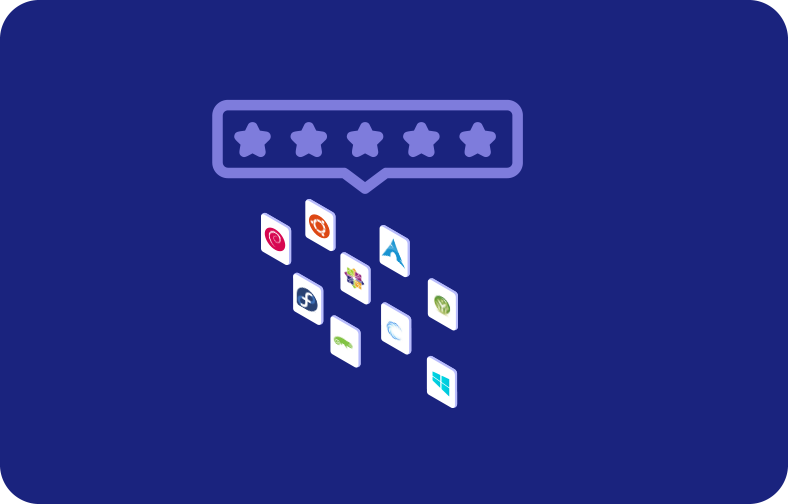
You can choose from a full range of Linux distributions, including Ubuntu, Debian, CentOS, AlmaLinux, and Rocky Linux, as well as multiple Windows Server and Windows Desktop editions. Once your VM is deployed, you have full root access to configure the OS however your project requires, whether that means installing a specific software stack, setting up custom security rules, or running a completely custom build. If your workload changes down the line, you can reinstall or switch operating systems without needing to migrate to a different server.

A current list of supported OS options is available on the FAQ page.

What's included in the free trial?

We offer a 30-day free trial with up to $100 in service credits. During this period, you can deploy a free VPS server on our cloud platform, choose your preferred operating system, and select one of our 20+ global data center locations.

If you select monthly billing and don't cancel during the trial, billing works as follows: Starting your trial on July 20 means your server runs free until August 20. Your first invoice arrives after September 1 and covers two charges: the prorated period from August 20-31 plus the full month of September.