How to Use a Load Balancer to Distribute Traffic Across Multiple Nodes
Managing high-traffic applications requires more than just a single powerful server. To ensure uptime and performance, a load balancer is essential for distributing incoming requests across multiple backend nodes. This guide covers the architectural concepts and the practical steps to implement this setup.
This guide explains what load balancing is, how it works, and how to set it up across multiple VPS nodes on VPSServer.com.
What is a load balancer?
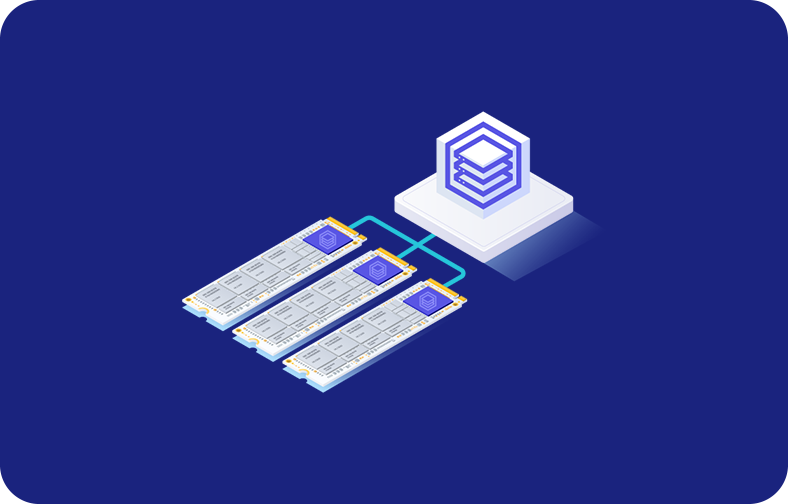
A load balancer sits in front of your servers and distributes incoming network traffic across multiple nodes according to rules you define. Instead of every request hitting a single server, the load balancer routes each one to whichever node is best positioned to handle it.
The result is an infrastructure that scales horizontally. Rather than upgrading a single server to handle more traffic, you add more nodes and let the load balancer distribute the work between them.
Why use a load balancer?
There are three core reasons to introduce a load balancer into your stack.
- Performance: When network traffic is distributed across multiple servers, no single node gets overwhelmed. Response times stay consistent even during peak load.
- Availability: If one node fails or needs maintenance, the load balancer detects the problem and stops sending traffic to it. Your application keeps running on the remaining nodes with no interruption.
- Scalability: Load balancing makes horizontal scaling straightforward. Adding capacity is a matter of provisioning a new node and registering it with the load balancer.
Load balancing algorithms: how traffic gets distributed
Load balancers use different algorithms to decide which node handles each request. These algorithms fall into two broad categories: static and dynamic load balancing.
Static load balancing algorithms
These distribute traffic according to fixed, predefined rules without taking the current state of each node into account. Common methods include:
- Round robin: Requests are sent to each node in rotation.
- Least connections: Traffic is routed to whichever node currently has the fewest active connections.
- IP hash: Each client is consistently routed to the same node based on their IP address.
- Weighted round robin: Nodes with more capacity receive a proportionally higher share of traffic.
Dynamic load balancing algorithms
These make routing decisions based on the real-time state of each node. A common example is Least connections, which is better suited for applications where requests vary significantly in processing time.
Setting up a load balancer across multiple nodes
Here' is a practical walkthrough using NGINX as a software load balancer.
Step 1: Provision your nodes
Start by spinning up at least two VPS servers to act as your backend nodes. Install and configure your application on each node so they are running identical environments.
Step 2: Provision a separate server for the load balancer
Provision a third VPS to act as your load balancer. This server's job is purely to receive incoming traffic and distribute it.
Step 3: Install NGINX on the load balancer node
sudo apt update
sudo apt install nginx
Step 4: Configure NGINX as a reverse proxy
Edit the NGINX configuration file to define your backend nodes:
upstream backend {
    server NODE_1_IP;
    server NODE_2_IP;
}

server {
    listen 80;

    location / {
        proxy_pass http://backend;
        proxy_set_header Host $host;
        proxy_set_header X-Real-IP $remote_addr;
    }
}
Step 5: Test and reload NGINX
sudo nginx -t
sudo nginx -s reload
Step 6: Point your domain to the load balancer
Update your DNS records to point your domain to the public IP address of your load balancer node.
Health checks
You can tune failure detection with the max_fails and fail_timeout parameters:
upstream backend {
    server NODE_1_IP max_fails=3 fail_timeout=30s;
    server NODE_2_IP max_fails=3 fail_timeout=30s;
}
Session persistence
The simplest fix for keeping users on the same node is using IP hash:
upstream backend {
    ip_hash;
    server NODE_1_IP;
    server NODE_2_IP;
}
SSL termination at the load balancer
Terminate SSL at the load balancer to handle HTTPS connections in one place using Certbot:
sudo apt install certbot python3-certbot-nginx
sudo certbot --nginx -d yourdomain.com
Scaling further
To scale, provision a new VPS node on VPSServer.com, deploy your application, and add its IP address to the upstream block in your Nginx configuration. Reload NGINX and the new node immediately starts receiving traffic.

A tech enthusiast, Rachel Burstyn has written extensively for B2B software companies, including a data analytics platform and a visual AI tool for e-commerce retailers.